The Ad Break That Never Happened: When SCTE-35 Dies Inside Your Encoder
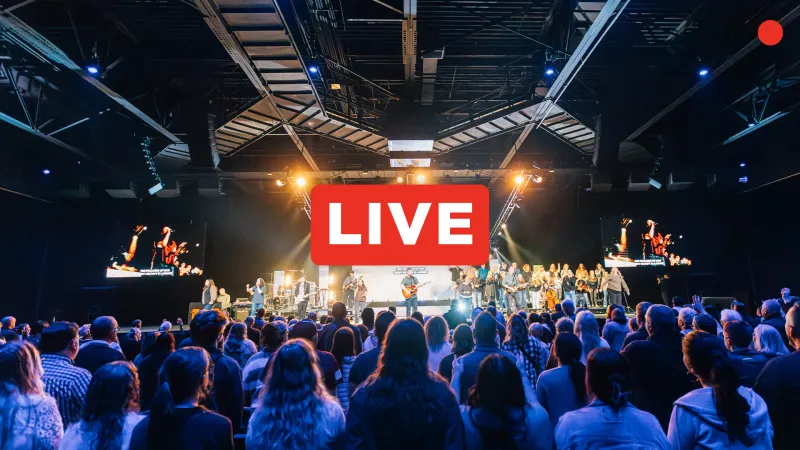
Photo: live broadcast control room encoder ad insertion monitoring screens, via cdn.prod.website-files.com
The ad break was sold. The traffic system logged it. The sponsor saw the schedule. And then, on the live stream, viewers got a black screen, a frozen frame, or five seconds of dead air. Nobody in the control room noticed until the chat lit up. That is the classic SCTE-35 failure: the business side thinks the ad ran, the encoding side thinks the signal passed, and the viewer gets nothing.
The ad didn’t fail. The signal did.
Dynamic ad insertion depends on signaling that tells the packager, player, or ad server where a break belongs and how long it lasts. SCTE-35 is the cue. It can travel as splice_insert, time_signal, or other commands, often wrapped in a descriptor that describes the avail. If that cue is stripped, delayed, duplicated, or misaligned, the ad decision server may never get a clean opportunity. The result is not always a dramatic crash. Sometimes it is a silent no-op: the break happens, the player waits, and nothing fills the slot.
Where SCTE-35 actually travels
In a live chain, SCTE-35 can enter at the source, get carried through contribution, hit the encoder, pass through packaging, and land in the manifest as a conditioned break. Every hop is a chance to lose it. Some encoders pass SCTE-35 only when a specific setting is enabled. Some strip it when they transcode. Some preserve the cue but change the timing. Some packaging layers require explicit manifest conditioning to expose the break to the player. If any of those links is misconfigured, the ad path breaks without breaking the video path. That is why the stream looks fine and the revenue does not.
The encoder settings that quietly eat splices
Look for SCTE-35 passthrough or insertion settings in the encoder. Confirm whether the encoder is expected to pass through upstream cues, insert its own, or both. Check the PID and stream type. Check whether the cue is preserved across transcoding and whether the output format still carries the necessary descriptors. If you are using a broadcast-style encoder, verify that the splice command is not being consumed by the encoder itself. A cue that stops at the encoder is not a cue anymore. It is a log line.
Manifest conditioning and the IDR problem
Even a perfect cue can fail at the player if the manifest does not expose the break correctly. Manifest conditioning is the step that turns the signal into something the player can act on. If the break is not conditioned, the player may ignore it. If the timing is wrong, the player may wait for an ad that never arrives. And if the video segment at the splice point does not start with a keyframe, the player may black out or stutter while it tries to switch. Ad breaks are part of the encoding stack, not just a traffic and billing concern. The splice point has to line up with the GOP, the segment boundary, and the manifest update.
Preflight checks before sponsors show up
Do not test ad insertion on a quiet Tuesday with a placeholder. Test it with the same encoder profile, the same packaging path, and the same player you will use live. Confirm that the cue appears in the output, that the manifest exposes the break, and that the ad server can fill it. Check the break duration. Check the start and end times. Check what happens when the ad server returns no ad. A no-fill should have a planned fallback, not a black screen. And check the behavior on the devices your audience actually uses, because a smart TV player and a mobile web player do not always handle the same manifest the same way.
Monitoring that catches dead air in seconds
Revenue-facing monitoring needs to watch the ad path, not just the video bitrate. Alert on missing cues, cue timing drift, manifest errors, and no-fill responses. Watch for black frames or silent audio at expected break points. If your operations team only monitors video health, a dead ad break can look like a healthy stream. The viewer sees the failure. The sponsor sees the invoice. Your team sees green.
The fix is usually unglamorous: document the SCTE-35 path, lock the encoder settings, test the full chain, and monitor the break as a first-class event. Ad breaks are not a handoff from engineering to billing. They are an encoding feature. Treat them like one.