Stop Guessing Your Bitrate: Finding the Sweet Spot That Saves Money and Looks Great
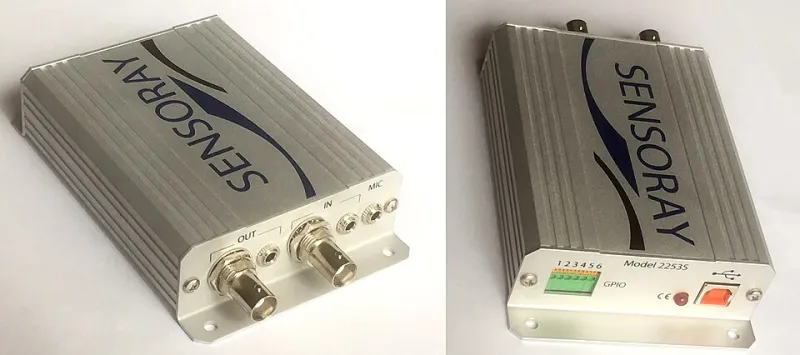
Photo: Lambtron, CC BY-SA 4.0, via Wikimedia Commons
Here's a scenario that plays out more often than most people want to admit: a creator spends weeks perfecting their content, hits publish, and then either gets complaints about blurry video or discovers at the end of the month that their CDN bill looks like a car payment. Sometimes both. The culprit? Encoder settings that were never dialed in properly to begin with.
Bitrate isn't just a number you punch in and forget. It's the single biggest lever you have over the relationship between video quality and delivery cost — and most people are pulling it in completely the wrong direction.
Why "Higher Is Better" Is a Trap
The instinct to crank bitrate up makes total sense. More bits means more data, more data means better picture, right? In theory, sure. In practice, you hit a wall called perceptual quality saturation — the point at which your encoder is stuffing in more information than the human eye can actually distinguish. Beyond that wall, you're just paying for data nobody can see.
For a talking-head interview shot on a static background, that wall arrives pretty early. You don't need a massive bitrate to faithfully reproduce someone sitting in front of a bookshelf. But throw a live sports broadcast or an esports tournament into the mix — fast motion, particle effects, crowds — and that wall moves considerably further out. The content type dictates the ceiling, and ignoring that costs real money.
On the flip side, under-allocating bitrate is just as problematic. Compression artifacts, macroblocking, and washed-out gradients don't just look bad — they signal to viewers that your production isn't worth their time. Buffering is forgivable. Pixelated video that looks like it was encoded in 2008? That's a trust problem.
What an Adaptive Bitrate Ladder Actually Does
If you're delivering video at scale, you're almost certainly using some form of adaptive bitrate streaming — HLS, DASH, or a similar protocol. The basic idea is that your encoder produces multiple renditions of the same video at different quality levels, and the player automatically switches between them based on the viewer's available bandwidth.
But here's where a lot of teams go wrong: they build their ladder based on convention rather than content. The classic 1080p/720p/480p/360p stack is a fine starting point, but it's not a universal answer. A badly constructed ladder with the wrong bitrate assignments at each rung can actually make the adaptive switching worse — viewers end up bouncing between renditions in a way that's more disruptive than just staying at a lower quality.
The goal is smooth, predictable transitions. That means the bitrate gap between each rung should be meaningful enough to justify the switch but not so dramatic that the quality jump is jarring.
Real-World Encoding Profiles by Content Type
Let's get specific. These are reasonable starting points — not gospel — but they reflect what actually works in production environments.
Talking Head / Webinar / Interview Content (H.264)
- 1080p: 2,500–3,500 Kbps
- 720p: 1,200–1,800 Kbps
- 480p: 600–900 Kbps
- 360p: 300–500 Kbps
This content type has low motion complexity. You can afford to be conservative here without sacrificing perceived quality.
Live Sports / Esports / High-Motion Content (H.264)
- 1080p: 5,000–8,000 Kbps
- 720p: 2,500–4,000 Kbps
- 480p: 1,200–1,800 Kbps
- 360p: 600–900 Kbps
Fast motion and complex scenes demand more headroom. Cutting corners here shows up immediately as smearing and blocking during action sequences.
Animated Content / Screen Recordings (H.264 or H.265)
- 1080p: 1,500–2,500 Kbps (H.264) or 800–1,500 Kbps (H.265)
- 720p: 800–1,200 Kbps
- 480p: 400–700 Kbps
Animation and screen recordings often have large flat color fields and sharp edges. These compress extremely well, which means you can often go lower than you'd expect without visible degradation.
If you've migrated to HEVC (H.265) or AV1, you can generally trim these numbers by 30–50% for equivalent quality — though encoding time and compute costs go up, so factor that into your infrastructure math.
The Financial Reality of Getting This Wrong
Let's talk dollars. Say you're running a mid-size streaming operation delivering 10 million minutes of video per month. If your average bitrate is 1 Mbps higher than it needs to be across your catalog, you're pushing roughly 75 TB of extra data every month. At typical CDN rates in the US — even with volume discounts — that's a meaningful chunk of change that doesn't need to be there.
Flip the scenario: you've under-allocated bitrate on your flagship live events, and 15% of your viewers are churning during broadcasts because the quality isn't holding up. What's that worth in subscriber revenue or ad impressions? The math gets uncomfortable fast.
Getting your bitrate ladder right isn't a nice-to-have optimization. It's a business decision.
How to Test Before You Commit
The best approach is empirical. Tools like FFmpeg's VMAF integration let you measure perceptual quality scores against reference files, so you can find the bitrate floor for each content type without just eyeballing it. Run your most challenging content — the stuff with fast motion, dark scenes, or complex textures — through a range of bitrate settings and map the quality scores against the file sizes.
You're looking for the point on that curve where additional bitrate stops producing meaningful VMAF improvement. That's your ceiling for that content type. Everything above it is waste.
For teams that want a more automated approach, per-title encoding — where the encoder analyzes each piece of content individually and builds a custom ladder — is increasingly accessible. Services like Netflix pioneered this at scale, but the underlying tools are available to smaller operations now.
The Bottom Line
Bitrate settings aren't set-it-and-forget-it. They're a continuous calibration between quality, cost, and the specific demands of your content. The default profiles baked into most encoders are designed to be safe, not optimal — and safe often means either overspending or underdelivering.
Spend an afternoon with your actual content, a quality measurement tool, and a spreadsheet. Map what you're currently spending against what you'd spend with a properly tuned ladder. The results have a way of making the case for themselves.