Sub-2-Second or Bust: Your No-Nonsense Guide to Ultra-Low-Latency Streaming Right Now
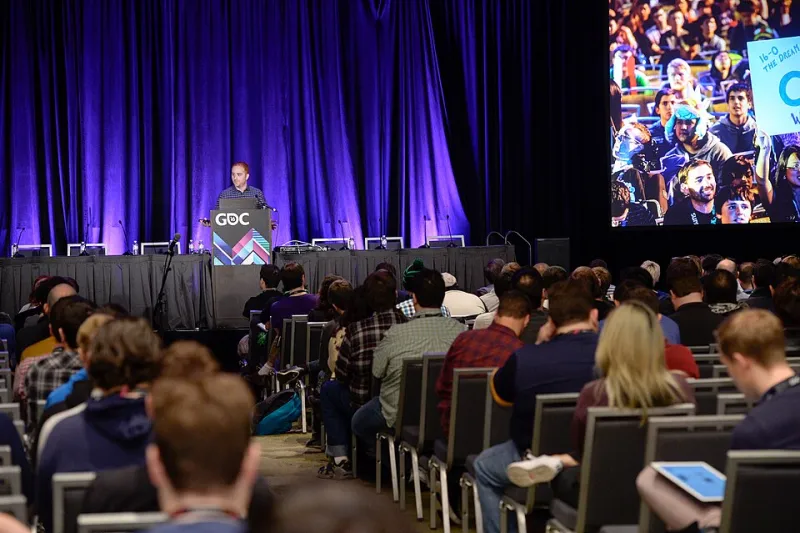
Photo: Official GDC, CC BY 2.0, via Wikimedia Commons
Imagine you're hosting a live trivia show. Your audience is playing along in real time, and someone in the chat answers a question correctly—except they see the answer revealed six seconds after everyone else because their stream is running behind. Do they feel like they're part of the experience? Absolutely not. They feel like they're watching a replay with extra steps.
Latency isn't a nerdy technical footnote anymore. It's the difference between a live broadcast that feels alive and one that just feels like slightly delayed YouTube. And in 2024, the technology to get genuinely close to real-time delivery is more accessible than ever across the US market—if you know what you're doing.
Let's break it all down.
What Latency Actually Means (And Why 'Low' Isn't Low Enough)
When we talk about stream latency, we mean the delay between something happening in front of your camera and your viewer seeing it on their screen. Simple concept, surprisingly complicated reality.
Traditional HLS (HTTP Live Streaming) delivery—the backbone of most streaming setups—was designed for reliability, not speed. Segment sizes, playlist update intervals, and buffer requirements stack up fast. You're typically looking at 15 to 45 seconds of latency on a standard HLS setup. That's fine for a pre-recorded drama, but it's a disaster for anything interactive.
"Low-latency" in the streaming industry usually means somewhere in the 3–8 second range. That's better, but still not what you need if you're running a live betting integration, a viewer-controlled game, or a sports broadcast where half your audience is also watching on TV.
Sub-2-second latency is the real target for interactive use cases. Getting there requires rethinking your entire delivery stack, not just tweaking a slider.
The Protocols That Actually Get You There
Not all streaming protocols are created equal when it comes to latency. Here's where things stand right now:
WebRTC
Originally built for video calling (think Google Meet or FaceTime), WebRTC is the gold standard for ultra-low latency. We're talking sub-500-millisecond delivery in ideal conditions. The catch? It was designed for peer-to-peer communication, and scaling it to thousands of concurrent viewers is genuinely hard. You need a media server infrastructure that can bridge WebRTC ingest to scalable delivery—solutions like Wowza, Millicast, or similar platforms handle this, but it adds complexity and cost.
Best for: Interactive gaming, live auctions, real-time audience participation, anything where the presenter and viewer need to feel truly in sync.
Low-Latency HLS (LL-HLS)
Apple's evolution of the HLS spec, LL-HLS cuts traditional HLS latency down to roughly 2–4 seconds by using partial segments and playlist preloading. It's more broadly compatible than WebRTC and works natively with existing CDN infrastructure. Most major CDNs in the US now support it, and player support has improved dramatically.
Best for: Sports broadcasts, large-scale live events, situations where you need low latency AND massive simultaneous viewer counts.
LCEVC and AV1 for Efficiency Gains
These aren't latency protocols per se, but they're worth mentioning. LCEVC (Low Complexity Enhancement Video Coding) and the AV1 codec both offer better compression efficiency, which means you can maintain quality at lower bitrates. Lower bitrates mean smaller buffers, which contributes to latency reduction—particularly on the last mile for viewers with inconsistent connections.
The Encoding Side of the Equation
Your protocol choice only matters if your encoding pipeline can keep up. A lot of creators focus entirely on delivery and forget that latency starts accumulating the moment your encoder starts processing frames.
Key encoder settings that directly impact latency:
- GOP (Group of Pictures) size: Shorter GOPs reduce latency but increase bitrate. For sub-2-second delivery, you generally want a 1–2 second GOP maximum. Yes, this costs more bandwidth.
- B-frames: Bidirectional frames improve compression but add encoding delay. Disabling or limiting B-frames is standard practice for low-latency workflows.
- Preset/speed settings: Slower encoding presets produce better quality but add delay. For live, low-latency work, you're often trading some compression efficiency for speed. Hardware encoders (NVENC on NVIDIA cards, QuickSync on Intel) help here significantly.
- Keyframe interval: Keep it tight and consistent. Irregular keyframes wreak havoc on low-latency segment delivery.
If you're using software encoding on a local machine, make sure your CPU isn't throttling under load. A dropped frame at the encoder level is a latency spike that compounds downstream.
CDN and Infrastructure: The Last Mile Problem
You can have a perfect encoding setup and still get killed by CDN performance. For US-based broadcasts, CDN edge node placement matters a lot. A CDN that's great for audiences on the East Coast might add meaningful latency for viewers in the Mountain West or Pacific Northwest.
For sub-2-second workflows, look for CDN providers that specifically advertise low-latency edge capabilities—not just general streaming support. Ask about their PoP (Point of Presence) density in the US, and whether they support LL-HLS or WebRTC delivery natively.
Multi-CDN strategies are increasingly common for high-stakes broadcasts. The idea: route viewers to the lowest-latency CDN edge dynamically based on their location and network conditions. It's more complex to set up, but for competitive gaming tournaments or major sports events, the viewer experience improvement is measurable.
Trade-Offs You Need to Understand Before You Commit
Let's be real—sub-2-second streaming isn't free, and it's not always necessary. Here's an honest breakdown:
| Use Case | Recommended Latency Target | Approximate Infrastructure Complexity |
|---|---|---|
| Casual live vlog | 10–30 seconds | Low |
| Live sports (no betting) | 3–6 seconds | Medium |
| Competitive gaming/esports | 1–3 seconds | Medium-High |
| Live betting / real-time interaction | Under 1 second | High |
| Remote production / broadcast contribution | Under 500ms | Very High |
Pushing for lower latency generally means: higher bandwidth consumption, increased infrastructure cost, more complex player requirements, and potentially reduced ABR ladder flexibility. You're making engineering trade-offs, not just flipping a switch.
Practical Recommendations by Budget
Under $200/month: Use a platform with built-in LL-HLS support. Optimize your encoder settings (short GOP, no B-frames, hardware encoding if available). You won't hit sub-2-second, but you can realistically target 3–5 seconds—a huge upgrade over standard HLS.
$200–$800/month: Layer in a dedicated low-latency streaming service or a CDN with LL-HLS support. At this tier, sub-2-second is achievable for moderate audience sizes.
$800+/month: WebRTC-based delivery becomes viable. Explore platforms built specifically for interactive broadcasting. Custom CDN configurations and multi-CDN routing are worth investigating at this spend level.
The Bottom Line
Latency is no longer just a streaming nerd obsession—it's a core product feature that directly affects whether your audience feels present or passive. The technology to achieve genuinely low-latency delivery is here, it's improving fast, and it's increasingly within reach for creators at multiple budget levels.
Start by honestly assessing what your content actually needs. Not every stream requires sub-second delivery—but if you're doing anything interactive, competitive, or time-sensitive, closing that latency gap is one of the highest-leverage improvements you can make to your broadcast.
Stream smarter. Your audience is waiting—just not as long as they used to be.